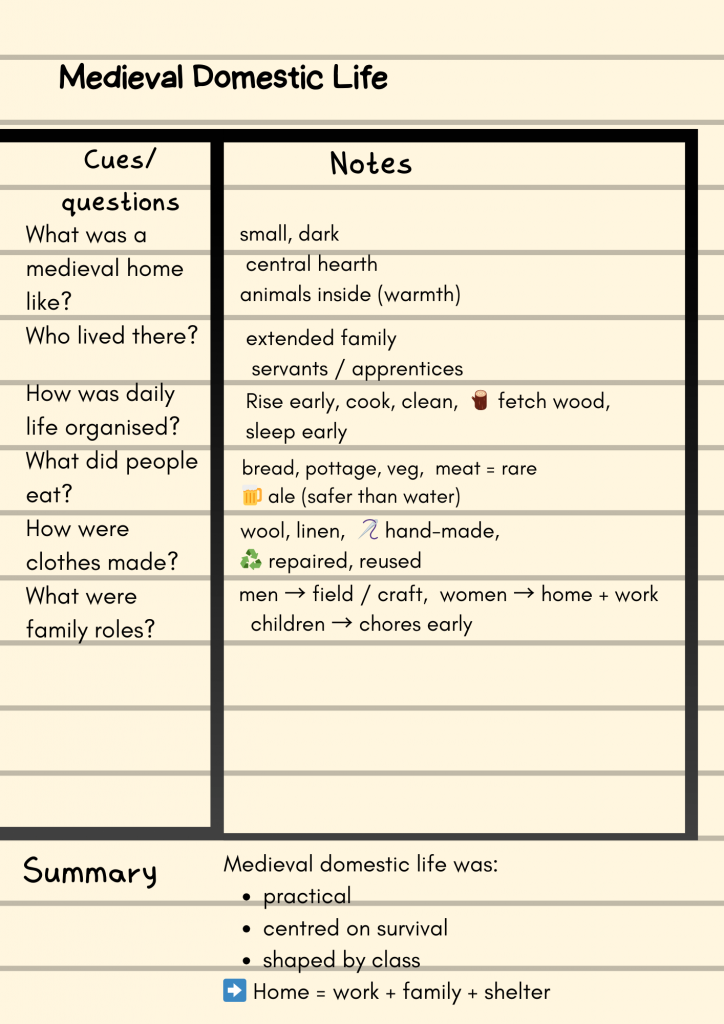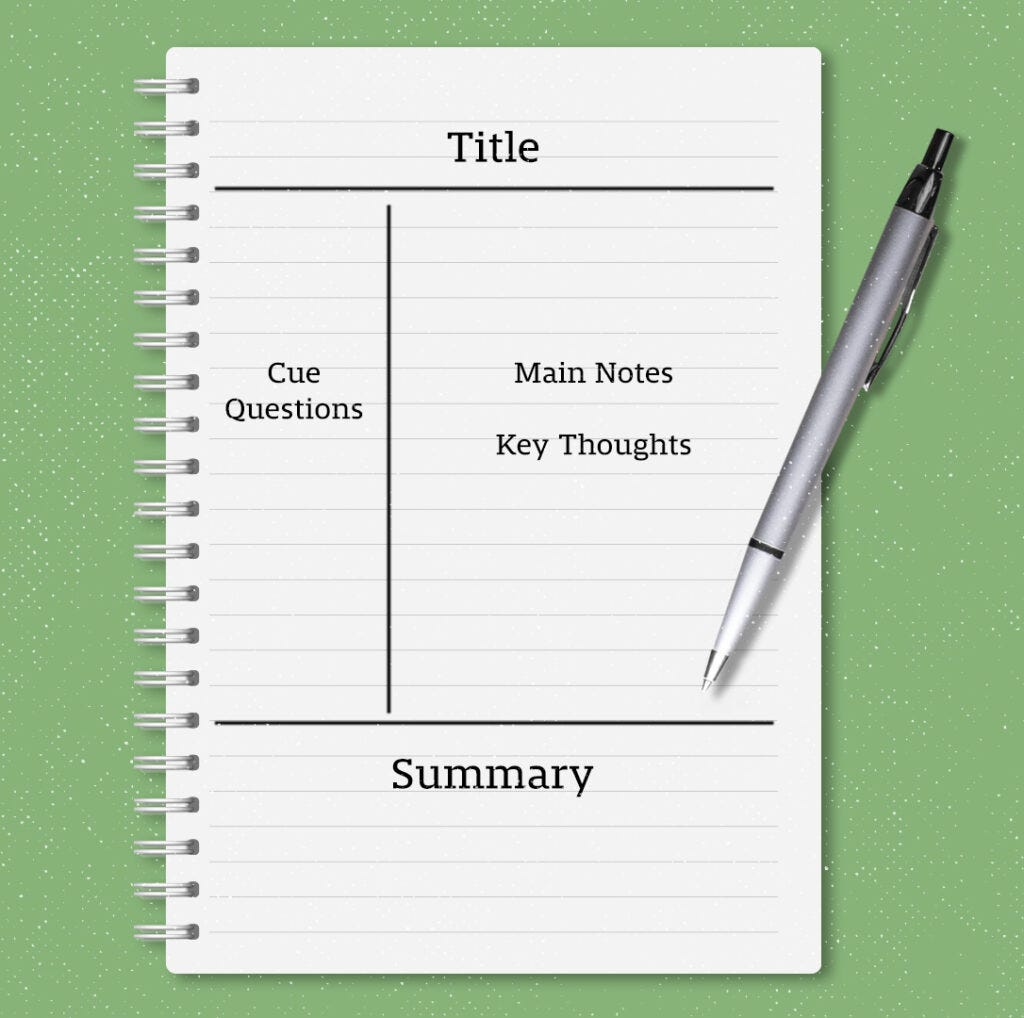
This uses a template system to encourage you to include key terms and useful questions in one column, notes in another, and finally a summary of the content at the bottom.
You can find lots of templates on the internet, or create your own.
It does allow you to become disciplined in how you take notes, but it can feel prescriptive.
Effective use of the Cornell method.
Start by setting up your notebook to have the columns as above.
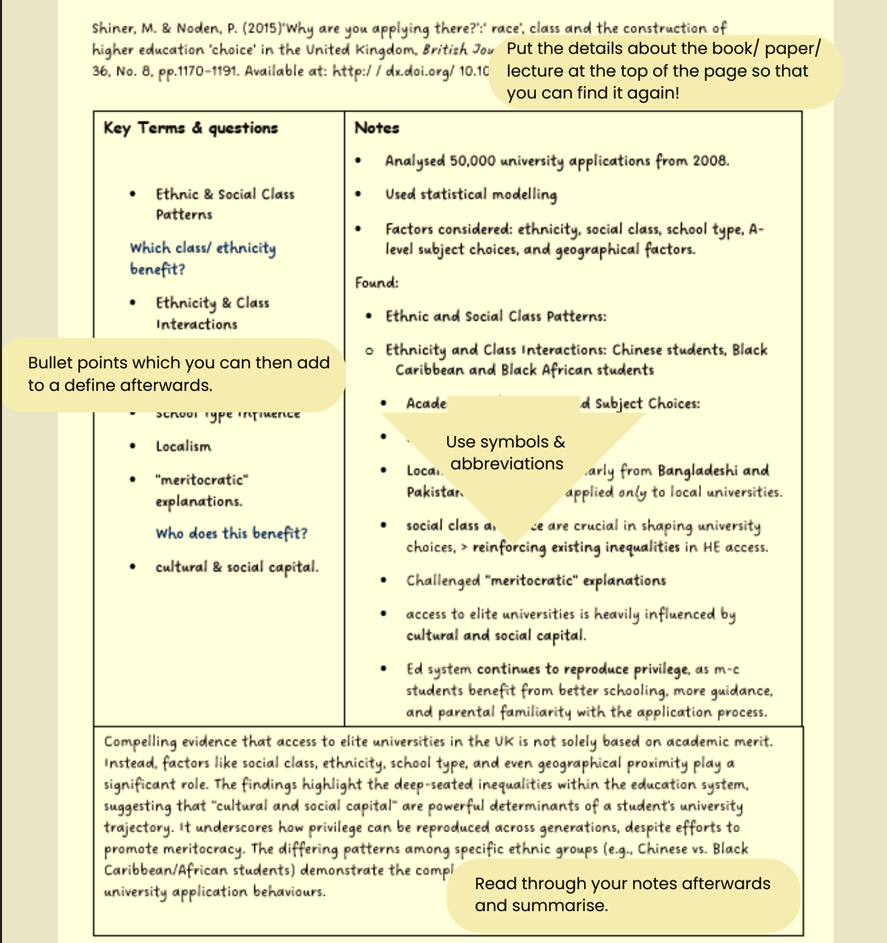
Focus on the main ideas, concepts and facts.
Don’t write every word down, use bullet points.
Try to get used to using symbols & abbreviations.
It’s a working document, so does not need to be perfect.
Afterwards
Read through your notes, check they make sense, if not, research & check.
Add in missing information.
Add to the key terms columns where appropriate.
Summarise the page at the end.
More info: here
Types of Cornell Notes
- Question-led
- Colour coded/ Chunked
- Digital/ Flexi
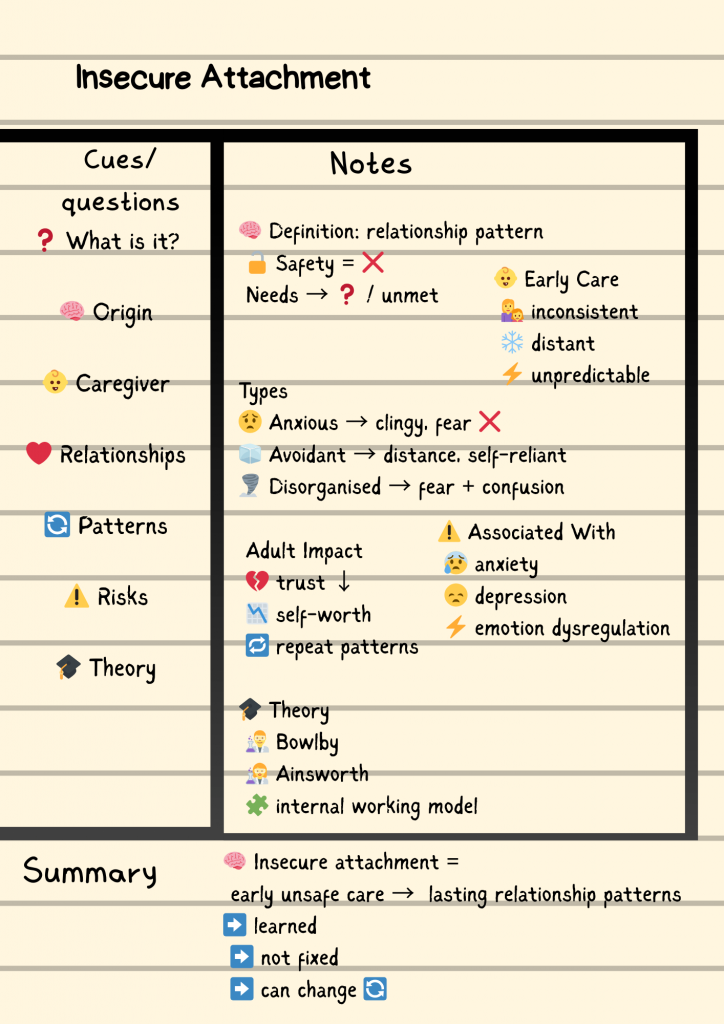
Visual/ Sketchnote: this can work well for some people. Using a mix of symbols, pictures and words can help with retaining the information.
Question-led
Useful for a range of subjects, this moves you away from passive note taking, you are looking for information.